Help centre / Calculator
Save, reopen and share your calculations
Keep your work, find it again, take a backup and make a PDF report.
Last reviewed 2026-11-11
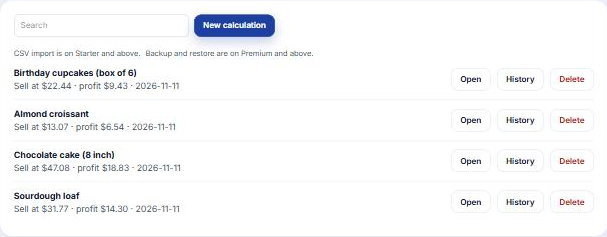
- Save keeps the calculation under its name. Free plans keep up to five, paid plans keep more.
- Saved tab lists them. Press one to reopen it, change a number and save again.
- Download backup on the Saved tab (Premium and above) saves everything. Restore puts it back, including how each Use cost was worked out.
- PDF reports turn a calculation into a clean page you can print or send.
Tip: name calculations after the product and the place you sell, for example Chocolate cake, own shop.