Help centre / Start here
Start here: your first calculation in two minutes
The shortest path from nothing to a selling price you can trust, with a checklist of what to fill in.
Last reviewed 2026-11-11
You do not need to know accounting. You tell the calculator what a product costs you and what profit you want. It tells you the price to charge.
Start here: short video
Short video, coming soon. The steps above show the same thing.
The five steps
- 1Open the Calculator tab and give the product a name.
- 2Pick What kind of business? so the usual cost lines appear. Skip it if none fits.
- 3Pick Where do you sell? so the fees of that place are added as percentages of the price.
- 4Fill in the amounts: what you pay for the item, packaging, delivery. Leave rows blank if they do not apply to this product.
- 5Choose the profit you want, then read Sell it for. Press Save to keep it.
Checklist before you trust the price
- Did you count every cost, including packaging and delivery you pay?
- Did you add the fees of the place you sell, such as card or marketplace fees?
- Did you add monthly costs such as rent, so you can see how many sales cover them?
- Is Sold per right (piece, kg, plate)? The cost lines then mean cost per that unit.
Blank rows are ignored, they are not counted as zero. A missing cost makes the price too low, so check the list once.
After you save
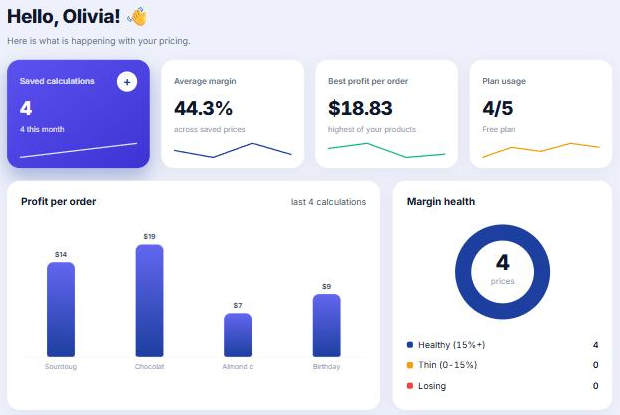
The Dashboard fills in as you save: average margin, best profit per order, and which prices are healthy, thin or losing. The example below is a sample bakery.